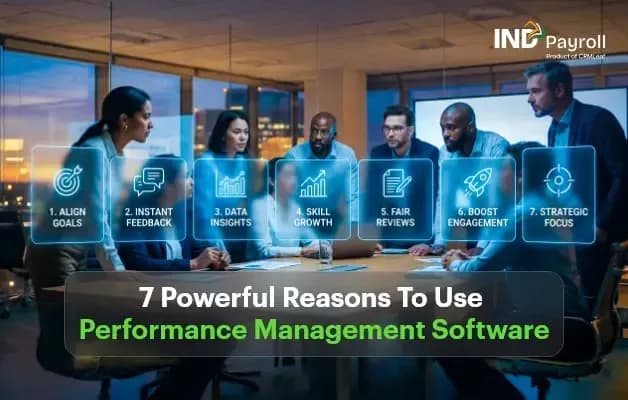
7 Powerful Reasons to Use Performance Management Software
TL;DR:
- Set clear goals and KPIs. Performance management software and goal management software help employees understand what is expected and track measurable objectives.
- Track employee performance. Employee performance management software centralizes performance data, making progress easier to monitor and reviews easier to prepare.
- Automate performance reviews. Performance appraisal software streamlines review workflows, reminders, feedback collection, and documentation.
- Improve productivity with continuous feedback. Continuous performance management lets managers address performance issues before the formal appraisal, not months after.
- Identify skill gaps and support development. Employee performance evaluation software surfaces development needs, improves coaching, and shapes targeted training plans.
- Make smarter HR decisions. HR performance management software provides documented insight that supports promotions, recognition, succession planning, and employee development.
A 20-person company can manage employee performance with a spreadsheet and an occasional review meeting.
A 200-person company cannot.
As teams grow, performance stops being a conversation and starts being an administrative problem. Goals sit in different Excel files, every manager runs reviews their own way, and the appraisal cycle becomes something HR survives rather than something the business learns from.
That is the gap performance management software is built to close — not by adding another annual form, but by turning goal setting, feedback, and reviews into an ongoing system that runs through the year.
Why Many Companies Struggle With Employee Performance Management
Ask an HR manager at a growing company what makes appraisal season difficult, and the answers are remarkably consistent:
- Goals tracked in different Excel files
- Managers using different review methods
- Feedback getting lost in email threads
- Annual appraisals becoming stressful for everyone involved
- No clear visibility into employee progress
- Difficulty identifying training needs
These problems do not happen because managers do not care. They happen because manual processes do not scale. A method that works for 20 employees quietly breaks somewhere between 50 and 100, and by then the damage shows up as inconsistent ratings and disengaged employees rather than as an obvious system failure.
The right system changes the shape of the problem. Instead of treating performance reviews as a once-a-year activity, it creates an organized system for setting expectations, tracking progress, documenting feedback, and supporting employee growth throughout the year.
What Is Performance Management Software?
Performance management software is a digital solution that helps organizations manage employee performance through goal setting, progress tracking, continuous feedback, performance reviews, and reporting.
Unlike traditional annual appraisal systems, modern performance management is built around ongoing conversations between managers and employees.
Core Functions
- Goal and KPI tracking
- Continuous feedback
- Performance reviews
- Employee development planning
- Performance analytics
- Manager insights
- Progress reports
When performance management is part of an HRMS, it works alongside employee records, attendance, leave, and payroll — which is what turns a review outcome into an actual salary revision instead of a note someone has to re-type.
The 7 Reasons in Detail
1. Set Clear Employee Goals That Everyone Understands
One of the biggest reasons employees underperform is simple: they are not always sure what success looks like.
A structured goal module lets managers define measurable objectives instead of relying on vague expectations.
Instead of:
“Improve customer service.”
Managers can set goals like:
- Resolve 95% of support tickets within 24 hours
- Maintain a customer satisfaction score above 4.7
- Reduce repeat complaints by 20%
Clear goals help employees prioritize their work, and they give managers objective criteria to point at in the next review rather than an impression.
Benefits: better goal alignment, clear expectations, easier performance discussions, and improved accountability.
2. Track Employee Performance in Real Time
Manual performance tracking depends on memory. By the time the annual review arrives, a manager is often trying to recall achievements from eight months earlier — and recency bias quietly does the rest.
A performance system creates a centralized record of employee progress, written down as it happens.
Consider managing 80 employees across multiple departments. Without a central system, HR ends up collecting Excel sheets, email feedback, manager notes, and individual appraisal forms, then reconciling them before the cycle can even begin. A structured performance system keeps those records organized through the year instead.
Benefits: centralized performance history, better review preparation, easier progress monitoring, and improved consistency between managers.
3. Automate Performance Reviews and Reduce HR Workload
Annual appraisals can consume weeks of administrative work. HR teams typically have to create review forms, send reminders, collect responses, track completion, consolidate feedback, and store the documentation.
Performance appraisal software automates most of that repetition.
| Manual Process | Automated Process |
|---|---|
| Email reminders | Automatic notifications |
| Spreadsheet tracking | Digital workflow |
| Manual status checks | Real-time progress |
| Paper forms | Online review forms |
Benefits: less administrative work, consistent review cycles, better completion rates, and organized documentation you can find a year later.
4. Improve Employee Productivity Through Continuous Feedback
Many organizations still rely on a single annual performance discussion. The problem is timing: employees discover performance issues months after they happened, when it is too late to do anything about them.
Continuous feedback lets managers give guidance while the work is still in progress.
Instead of waiting until year-end:
- A manager notices missed deadlines.
- Feedback is shared during the quarter.
- The employee adjusts priorities.
- Progress improves before the next review cycle.
This creates a healthier performance culture, where improvement happens continuously rather than being announced once a year.
Benefits: faster issue resolution, better communication, improved employee confidence, and stronger manager relationships.
5. Identify Skill Gaps Before They Become Bigger Problems
Performance reviews should do more than evaluate employees. They should reveal where employees need support.
Reporting helps managers see patterns across a team rather than only individual outcomes. Common gaps include communication, leadership, technical skills, time management, customer handling, and project ownership.
Suppose several employees struggle with project deadlines. Instead of assuming six separate individual performance issues, HR might discover that the whole team needs project management training. That insight is very hard to spot when performance data is scattered across a dozen documents.
Benefits: better training decisions, stronger employee development, improved coaching, and more targeted learning programs.
6. Make Better HR Decisions Using Performance Data
Performance decisions become more balanced when managers work from documented information rather than from recent impressions.
Performance data can support discussions around promotions, career development, training plans, employee recognition, succession planning, and formal performance improvement plans.
Important: the software should support managerial judgment, not replace it. The best decisions combine documented performance, manager observations, employee discussions, and business context.
7. Build More Transparency and Employee Engagement
Employees want to know what they are working toward, how they are progressing, where they need to improve, and what success actually looks like.
Transparency removes the surprise from performance reviews. Instead of hearing feedback for the first time during an appraisal, employees already have visibility into an ongoing conversation — the same reason an employee self-service portal reduces payroll queries: people stop having to ask for information they can see themselves.
Benefits: better engagement, greater trust, more meaningful reviews, and stronger employee ownership.
What HR Teams Often Get Wrong About Performance Management
This is where many organizations struggle — not because they lack software, but because they run outdated practices inside it.
Mistake 1: Treating performance management as an annual event
Performance should be an ongoing conversation. Schedule regular check-ins instead of one high-stakes meeting.
Mistake 2: Setting goals without measurable KPIs
Goals should include measurable outcomes wherever the work allows it.
Mistake 3: Giving feedback only during appraisals
Timely feedback is more useful than complete feedback delivered late.
Mistake 4: Using different review standards across managers
Consistent evaluation criteria create fairer reviews, and they make ratings comparable across departments.
Mistake 5: Keeping performance data separate from HR records
When employee information lives in multiple systems, HR teams duplicate work. Connected HR and payroll data removes most of that re-entry.
Mistake 6: Ignoring development plans
Performance discussions should end with actionable next steps, not just a rating.
Manual Reviews vs Performance Management Software
| Feature | Manual Process | Performance Management Software |
|---|---|---|
| Goal setting | Excel | Centralized |
| KPI tracking | Manual | Real-time |
| Reviews | Paper or email | Digital |
| Feedback | Scattered | Organized |
| Reports | Manual | Automated |
| Employee access | Limited | Self-service |
| HR workload | High | Lower |
| Scalability | Difficult | Easier |
Automation does not mean removing human oversight. It means automating the repetitive collection and movement of information, while managers keep the judgment.
Key Features to Look For in a Performance Management System
Not every platform offers the same capabilities. Prioritize the features that improve your actual HR workflow rather than the ones that look impressive in a demo.
- Goal and KPI management
- Performance review workflows
- Continuous feedback
- Employee self-service
- Manager dashboards
- Performance reports
- Role-based permissions
- HRMS integration
- Attendance and leave integration
- Analytics and insights
One feature is worth checking specifically: what happens after the rating. INDPayroll’s performance module runs self-review, manager review, and optional peer input on a schedule you set, and an approved increment updates the employee’s payroll record directly — so the appraisal outcome reaches the next salary revision without anyone re-typing a number into payroll.
Who Needs It: Small Business to Enterprise
Small businesses
Replace spreadsheets early, and build a structured review process while the team is still small enough to change habits easily.
Growing companies
Standardize reviews across departments and improve consistency between managers before inconsistency becomes the norm.
Mid-sized organizations
Automate review cycles and centralize employee performance records so appraisal season stops consuming entire weeks.
Large enterprises
Maintain standardized evaluations and improve visibility across locations and business units.
How Performance Management Fits Into an HRMS
Performance management becomes more effective when it works alongside the rest of your HR processes. A connected workflow looks like this:
Employee Records → Attendance → Leave → Performance → Payroll → Reports
When these functions share the same employee data, HR teams spend less time maintaining separate records and more time supporting employees. It is the same argument as payroll software with HRMS: the value is not in any single module, but in the data not having to be entered twice.
Centralized data also makes reporting usable. Real-time dashboards can only show workforce cost and performance together if both sit in the same system.
How to Choose the Right Performance Management Software
Before making a decision, work through this checklist:
- Easy for managers and employees to use
- Supports your existing review process
- Allows customizable goals
- Offers useful reporting
- Integrates with your HR systems
- Protects employee data
- Scales as your business grows
- Includes employee self-service
- Provides ongoing support
Do not choose software because it has the longest feature list. Choose the solution that fits your organization’s workflow.
Key Takeaways
- Performance management is no longer just about annual appraisals — it is a year-round process of goals, feedback, and documentation.
- Measurable KPIs give both employees and managers something objective to work from.
- Continuous feedback resolves performance issues while they are still fixable.
- Centralized performance data reveals team-level skill gaps that individual reviews hide.
- Software should support managerial judgment, not replace it.
- Performance management works best inside an HRMS, where reviews connect to employee records, attendance, leave, and payroll.
Final Thoughts
Organizations that set clear goals, give regular feedback, document performance discussions, and support employee development end up with stronger and more consistent performance processes. That is true whether they run 30 employees or 3,000.
The biggest advantages come down to seven things: clear expectations, real-time tracking, automated reviews, better productivity, stronger employee development, smarter HR decisions, and greater transparency.
For businesses looking to streamline employee management, performance management works best as part of a broader HR ecosystem that connects employee records, attendance, leave, and payroll.
Looking for an easier way to manage employee performance alongside attendance, leave, and payroll? Explore INDPayroll’s performance management software and evaluate it against your own review cycle.
Frequently asked questions
Run your next payroll in 15 minutes
Trusted by 1,000+ Indian businesses to run compliant payroll, automatically.
Keep reading
11 August 2026 · 9 min
Payroll Management4 August 2026 · 24 min
Manufacturing26 August 2026 · 11 min